
A practical 8-step onboarding workflow, from signed agreement through intake, kickoff, enablement, and a live dashboard, gets most straightforward clients to their first measurable win inside 90 days. It starts with a conflict and compliance check, moves through a single structured intake packet, and ends with a confirmed success milestone and a plan for the next one. Teams that assign a clear owner at every stage see fewer stalled accounts and faster activation.
TL;DR:
- Most onboarding failures occur during handoffs, so assigning clear owners and verification criteria at each stage prevents delays and stalls.
- Automate repetitive tasks such as reminders and status updates, but keep human involvement for complex decisions and relationship building.
- The first 90 days are critical for client retention, making measurable goals and weekly check-ins essential for early success and early issue detection.
- Using a single integrated platform streamlines intake, setup, progress tracking, and reduces the need for multiple disjointed tools, saving time and increasing visibility.
- Defining success criteria in writing before starting any automation or tooling ensures that speed is driven by structure, not rushing without clear objectives.
Table of Contents
- Recommended onboarding workflow steps
- A copyable client onboarding checklist
- Where to automate onboarding and where not to
- Roles, handoffs, and who owns what
- Measuring time to value in the first 90 days
- Templates that speed up intake and kickoff
- Common onboarding mistakes and quick fixes
- What actually operationalizes this workflow
- Where conventional onboarding advice gets it wrong
- Running this workflow from one platform
- Sources
- FAQ
Recommended onboarding workflow steps
Onboarding fails most often at the handoffs, not the individual tasks. Each step below names an owner and a way to know it's actually done, not just started.
- Contract and compliance check. The account owner or a compliance lead confirms the signed engagement letter, runs a conflict check where relevant, and verifies payment terms. Pass criteria: signed document on file and no open compliance flags. A compliance-minded 12-step checklist built for professional firms treats this stage as the point where downstream risk gets caught early, before it becomes a bigger problem later.
- Structured intake. One packet, not five separate emails, collects everything: business details, goals, technical access needs, and preferences. Conditional logic shows only the fields that apply to that client type, and a no-account upload link lets people submit documents without creating another login. This single-packet approach is meant to close what onboarding practitioners call the "request gap," the delay caused by piecemeal document requests trickling in over days.
- Setup and provisioning. Billing gets configured, accounts and access are provisioned, and any SSO or API keys are issued. The owner here is usually an implementation specialist, and the pass criteria are simple: the client can log in and see their environment ready, with nothing left half-configured.
- Owner assignment and internal handoff. A customer success manager or dedicated onboarding owner is named and briefed on everything gathered so far. This is also where sales hands off context to the delivery team, ideally in a short recorded call rather than a forwarded email thread.
- Kickoff meeting. The CSM runs a structured call that sets measurable success goals, not vague intentions. Randomized field experiments with merchants found that adding CSM-led integration support increased long-term adoption by about 21 percentage points, and pairing that with explicit value-realization coaching added a further 13-point gain. Early, structured human involvement is doing real work here, not just adding a friendly face.
- Enablement. Training materials, short walkthroughs, and a first small task give the client an early win they can point to. The goal is a first success within days, not weeks, since the fastest-growing teams treat sub-five-day time-to-value as the target for straightforward setups, according to SaaS Mag's 2026 analysis.
- Visibility and tracking. A live dashboard shows milestone status, and a reporting cadence, usually weekly for the first month, keeps both sides honest about progress. This step is also where slipping metrics get caught before they become a churn risk.
- Close the loop. The team delivers the first agreed output, confirms the success criteria from the kickoff were actually met, and schedules a re-onboarding or value review for when the client's needs shift or new features roll out.
A copyable client onboarding checklist
A checklist only works if someone owns each line and someone else can verify it was actually completed, not just marked done.
- Conflict and compliance check cleared, signed off by the account owner or compliance lead.
- Engagement letter or contract signed and stored where the whole team can find it.
- Intake packet fully completed, including conditional fields relevant to that client's setup.
- Billing configured and the first invoice or payment method confirmed.
- Accounts, access, and any integrations provisioned, tested by someone other than the person who set them up.
- Kickoff meeting held, with success goals documented in writing, not just discussed verbally.
- First deliverable or milestone confirmed by the client, not assumed complete because it was sent.
Assign a single "ticker" who checks items off and a separate person, often the CSM's manager or a team lead, who spot-audits a sample of accounts each month. That separation catches the boxes people check without actually finishing the work.
Pro Tip: Build the intake packet once with every possible conditional field, then hide the ones that don't apply to a given client type. It's far easier to maintain one smart form than five separate ones.

Where to automate onboarding and where not to
Automation should handle the repetitive, low-judgment parts of onboarding so people can spend their time on the parts that need actual judgment. A report on the first 90 days of customer onboarding makes the same distinction: automate the repeatable transactions, keep humans for relationship-building and complex decisions.
- Automate reminders for missing documents or unfinished intake fields instead of chasing people manually.
- Automate status updates so clients see progress without asking, which cuts down on "just checking in" emails.
- Automate milestone triggers, so hitting a step (like completed setup) fires the next task automatically instead of waiting for someone to notice.
- Keep a single source of truth by connecting the CRM, the onboarding platform, and document collection so nobody re-enters the same information twice.
Over-automating, though, tends to backfire with complex clients. Keep scheduled human check-ins for anyone with custom requirements or multiple stakeholders, since a bot cannot read hesitation in a client's tone the way a CSM on a call can. Platforms built around client portals and workflow automation are one common pattern for combining automated notifications with a single client-facing hub, which reduces the number of places a client has to check for updates.
Roles, handoffs, and who owns what
Dropped responsibilities usually happen at the seams between teams, not within them. A short RACI keeps that from happening.
- Sales owns the signed agreement and passes along context on what was promised, not just the signature.
- Onboarding specialist owns intake, setup, and provisioning, and confirms everything is functional before handoff.
- CSM owns the kickoff, the success metrics, and the ongoing relationship through the first 90 days and beyond.
- Implementation or technical lead owns any integrations, API access, or custom configuration work.
- Billing owns payment setup and confirms the first invoice cycle runs cleanly.
The sales-to-onboarding handoff should include a short call or recorded summary, not just a CRM note, since nuance gets lost in bullet points. The onboarding-to-CSM handoff should include the completed intake packet, any custom requests noted during setup, and a first-draft list of success goals to confirm in kickoff. Introducing the CSM at contract signing rather than after setup is finished tends to produce clearer, earlier-defined success criteria, based on research on customer success roles.
Pro Tip: Have the CSM sit in on the last few minutes of the sales closing call whenever possible. It saves an entire round of re-explaining the client's goals later.
Measuring time to value in the first 90 days
The first 90 days matter because that's the window where a client either sees enough value to stay or quietly starts shopping elsewhere. Onboarding quality has a direct, measurable link to renewal: HubSpot's onboarding report found that a smooth onboarding experience corresponds with materially lower churn during that phase.
Track five KPIs from day one: onboarding completion rate, time-to-first-success, activation rate, milestone adherence, and early CSAT or NPS scores collected right after kickoff and again after the first deliverable.

Set a reporting cadence, not just a dashboard. Weekly check-ins for the first month, then biweekly through day 90, catch slipping metrics early enough to fix them instead of explaining them after the fact. When a milestone slips, trigger an automated alert to the CSM and a short human check-in call rather than waiting for the next scheduled review.
Templates that speed up intake and kickoff
Reusable templates cut the back-and-forth that slows onboarding down before it even starts.
- Welcome email: confirm next steps, link the intake packet, state a realistic timeline, and name the point of contact by name, not by role title alone.
- Intake questionnaire: ask for goals, technical access needs, stakeholder names, and preferred communication channel, with conditional logic so a solo client doesn't see fields meant for a 20-person team.
- Kickoff agenda: open with goals, review the timeline, confirm roles on both sides, and end with a written summary of success criteria everyone agrees to.
- 30/60/90 milestone plan: name one measurable outcome for each window so progress is visible instead of implied.
An operations-first onboarding SOP for creator teams follows a similar staged structure, moving from kickoff through implementation, training, and launch, which is a useful pattern to borrow even outside the creator space.
Common onboarding mistakes and quick fixes
Most onboarding problems repeat across industries, and most have a straightforward fix once you name them.
- Delayed kickoff slows everything downstream. Assign the owner and schedule kickoff within the first 48 hours of signing, not whenever the calendar allows.
- Too many logins and portals frustrate clients early. Consolidate into a single packet and a single access plan instead of asking clients to juggle five separate accounts.
- Undefined success criteria leave both sides guessing. Write measurable goals down during kickoff, in the client's own words where possible, and confirm them in a follow-up email.
- Over-automation removes the human touch that complex clients need. Keep at least one scheduled human check-in for any account with unusual requirements or multiple stakeholders.
What actually operationalizes this workflow
A workflow like this only works when the pieces talk to each other. Aria is built as a single platform where community management, courses, memberships, CRM, and marketing automation live together instead of across five disconnected tools. That matters for onboarding specifically because intake, provisioning, and progress tracking can sit in one place instead of scattered logins.
The platform positions itself as saving users significant monthly costs by replacing multiple separate subscriptions, along with providing automated workflows and integrated CRM functionality that map directly onto the setup and visibility steps described above. The credentials and specific case examples behind any given team's use of Aria will vary by business, so treat this as a description of the platform's design rather than a universal outcome.
Where conventional onboarding advice gets it wrong
Most onboarding advice treats speed as the only goal, and that's a mistake. A client who blows through five steps in three days without ever stating a measurable success goal isn't onboarded faster, they're just further along a process nobody defined. The workflow above is fast because it's structured, not structured because it's fast.
The most overrated tactic is automation for its own sake. Teams love the idea of a fully automated onboarding sequence, but the research on CSM-led integration is clear that human involvement at the right moments drives adoption more than any additional automated touchpoint does. Automate the paperwork. Keep the person for the parts that need judgment.
If you take one thing from this: define success criteria in writing before you touch any tooling. Everything else, checklists, dashboards, automation, only works once you know what "done" actually means for that client.
— Anastasia
Running this workflow from one platform
Every step in this guide, intake, provisioning, dashboards, and centralized client records, is easier when it doesn't require stitching together five separate tools. Aria brings CRM, automations, client management, and analytics into one interface, which means the intake packet, the access provisioning, and the progress dashboard can all live in the same place a client already sees.
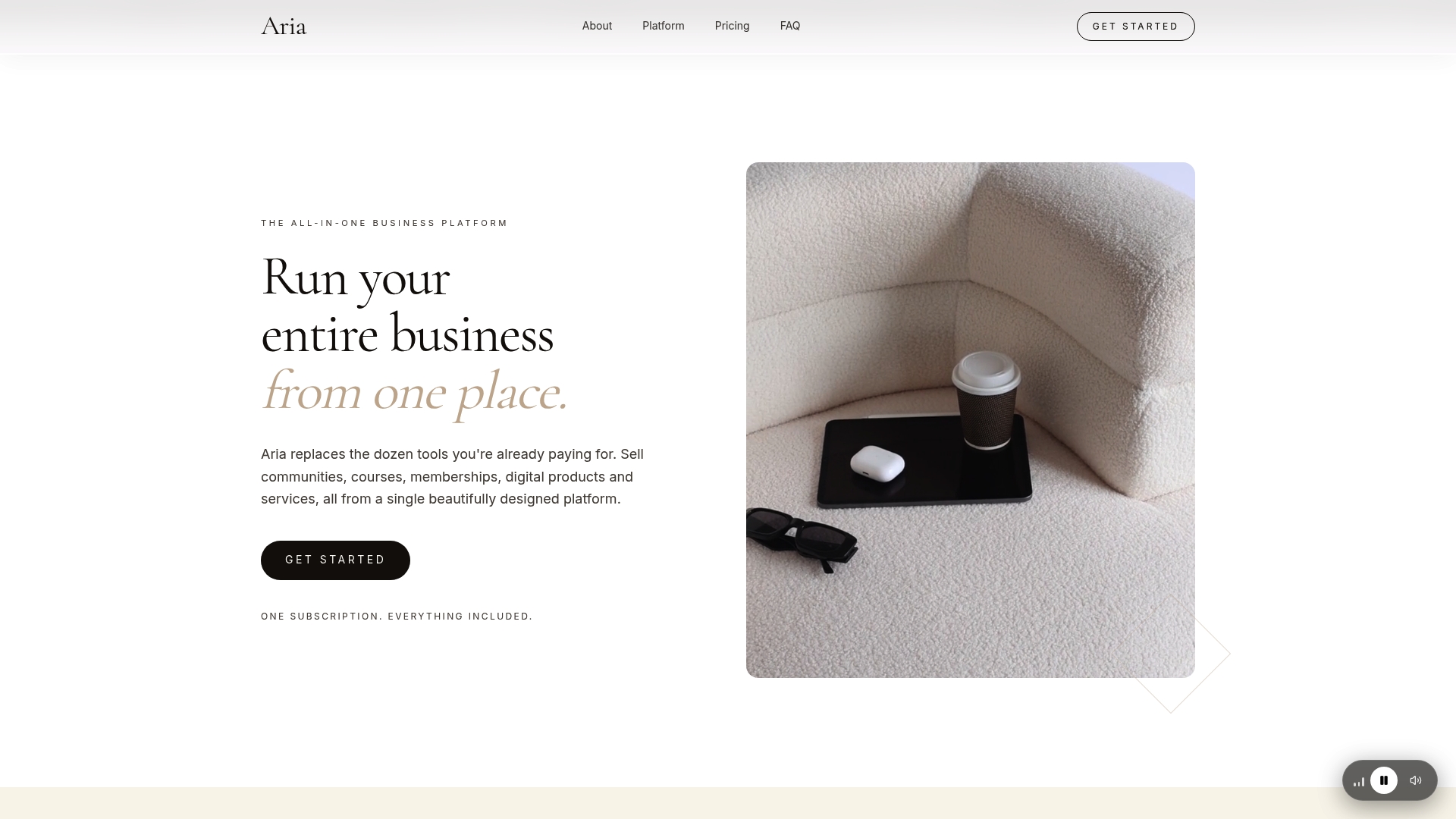
That consolidation is the practical payoff: less time spent connecting tools and re-entering client data, and a single view for the CSM to check milestone status without switching tabs. The platform's plans start at a monthly price point that scales with team size and feature needs, and an All-Access Launch Plan is available with pricing on request. Visit the Aria platform to see which plan fits your onboarding volume.
Sources
- Driving merchant adoption of digital payment solutions through customer success management — Stanford GSB working paper
- The First 90 Days: Why Customer Onboarding is the New Battleground for Customer Retention — OnRamp report
- Client Onboarding Compliance Checklist — DokuTrak
FAQ
What are the 7 steps of the client onboarding process?
Common frameworks describe roughly seven to eight stages: contract and compliance checks, structured intake, setup and provisioning, owner assignment, kickoff, enablement, progress tracking, and closing the loop on the first deliverable. Definitions vary slightly by industry, but the sequence from agreement to confirmed success is consistent across most models.
What is the client onboarding process?
Client onboarding is the structured sequence a business follows to move a new client from signed agreement to their first confirmed success, covering intake, setup, kickoff, and early milestone tracking. Done well, it reduces the churn risk that shows up when clients feel lost in their first weeks.
How do I create an onboarding workflow?
Start by mapping each stage from contract signing to first deliverable, naming an owner and a pass or fail completion criterion for every step. Layer in a single structured intake packet, a kickoff meeting with written success goals, and a dashboard for tracking milestones so nothing depends on memory alone.
How do I automate the customer onboarding process?
Automate the repeatable, low-judgment tasks first: reminders for missing documents, status updates, and milestone-triggered next steps, while connecting your CRM, onboarding platform, and document collection into one source of truth. Keep scheduled human check-ins for complex clients, since research on the first 90 days points to automation working best on transactional steps, not relationship-building ones.